Gates & Registers
If you have more than one entrance or box office window, give each one a name. Door staff and cashiers then pick theirs from a list, and your reports show how many people came through each gate and what each register sold.
Where to find it: Gates & Registers tab
Who can use this: anyone with Manage Ticketing (Studio)
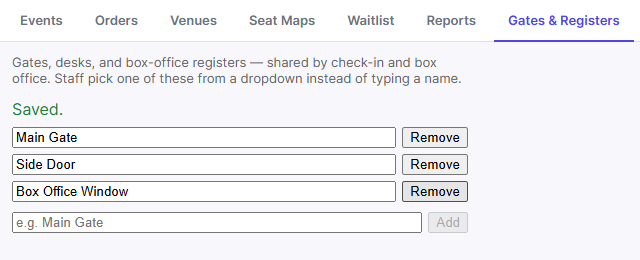
Add a gate or register
- Type a name, for example "Main Gate" or "Box Office Window".
- Click Add. It's saved right away.
Click Remove next to a name to delete it.
If you don't add any, everyone uses a single default called Desk.
Where the names appear
- Scanner and Check-in: the Gate / Gate/Desk list.
- Box Office: the Register list.
- Scanner Access: the Gate a volunteer's phone is paired to.
- Check-in desk: the "By gate" count.