Manage Tickets
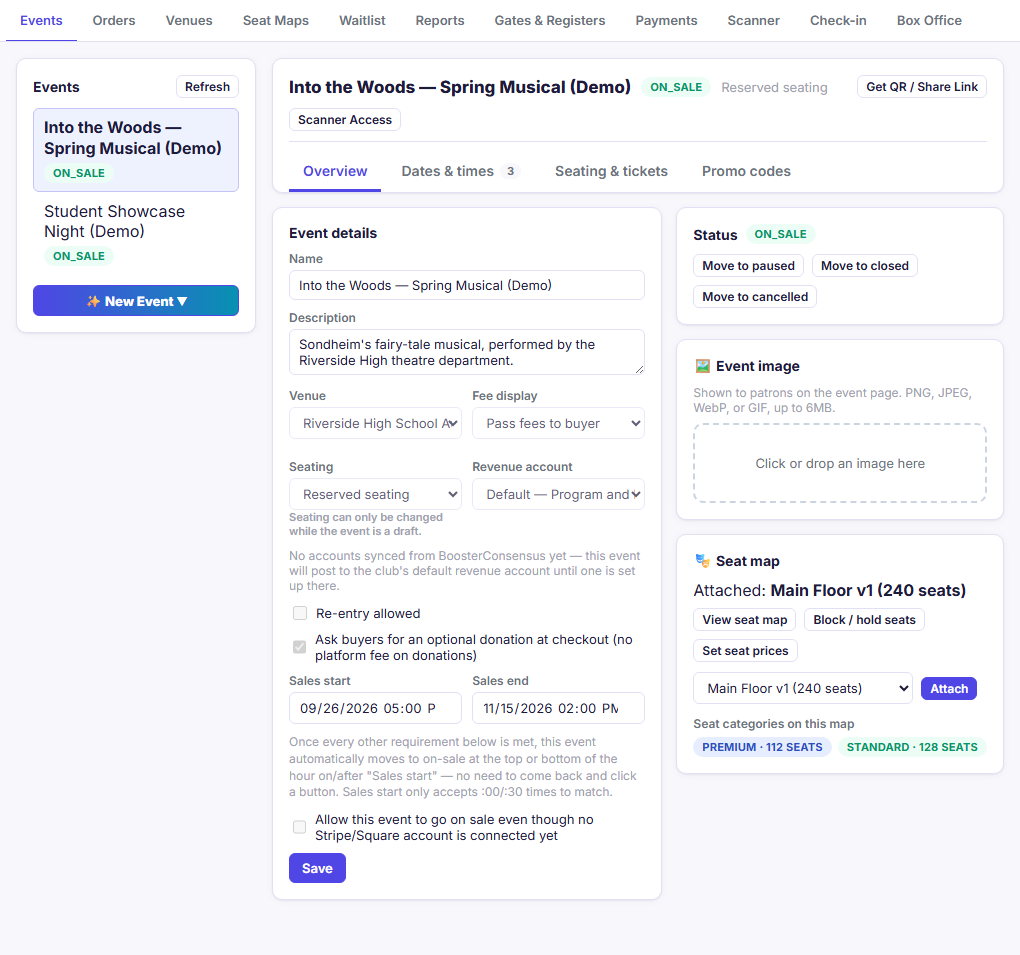
The Manage tabs are where you set up what you're selling and look after the orders. They appear for anyone with the Manage Ticketing (Studio) permission and need a tablet-sized screen or larger.
The usual order
- Payments: connect Stripe or Square so buyers can pay by card online.
- Venues: add your venue with its address and buyer notes.
- Venues → Edit seats: build a seat map (reserved seating only).
- Events: create the event, add performances and prices, then put it on sale.
- Events: share the link and set up door scanning.
- Gates & Registers: name your entrances and box office windows (optional).
For general admission (open seating), skip steps 2 and 3. A venue is still helpful because buyers see its address and parking notes.
Tabs in this section
| Tab | What it's for | Help |
|---|---|---|
| Events | Create events, performances, prices, ticket types, donations, and promo codes; publish; share | Events |
| Orders | Find any order; refund tickets or add-on items, email tickets, will-call, print | Orders |
| Venues | Venue details, and the seat maps that belong to each venue | Venues, Seat map editor, Blocking and holding seats |
| Seat Maps | A practice canvas for trying out layouts. Nothing here is saved to your club | Seat Maps tab |
| Waitlist | Waitlist and held-back tickets for sold-out shows | Waitlist |
| Reports | Sales, add-on & donation revenue, attendance, patron lists, promo use, settlement | Reports |
| Gates & Registers | Name your entrances and box office windows | Gates & Registers |
| Payments | Connect or disconnect your Stripe or Square account | Payments |
| Add-ons (Studio) | Concessions, programs, flowers, and merchandise sold online with tickets or at the box office | Add-ons and donations |
Tip: Refresh at the top of the Events and Venues tabs reloads the screen's data.
Related
- Box Office: selling the tickets you set up here, in person
- For Ticket Buyers: what buyers see once an event is on sale