Reports
Reports gives your treasurer and board the numbers: how much sold, how full each night is, who bought, and what to expect in your bank account.
Where to find it: Reports tab
Who can use this: anyone with Manage Ticketing (Studio)
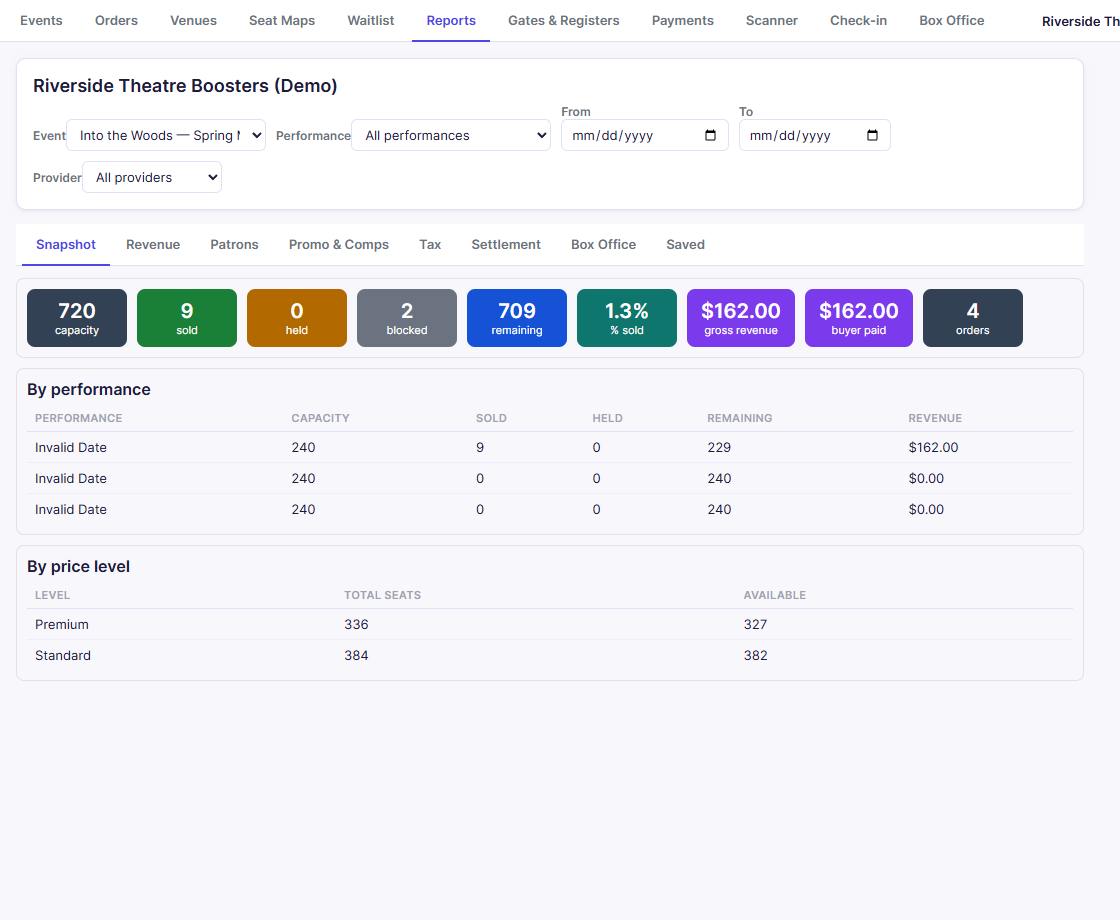
Choose what to report on
Across the top, pick an Event and optionally a Performance, a From/To date range, and a payment Provider. Every report below uses these filters.
The reports
| Tab | What it shows |
|---|---|
| Snapshot | Capacity, sold, held, blocked, remaining, % sold, revenue, and orders, then a breakdown by performance and by price level (reserved) or ticket type (GA) |
| Revenue | Face revenue, fees, discounts, tax, add-ons, donations (including donor fee cover), and what buyers paid, with Day / Week / Month rollups and breakdowns by event, performance, channel, ticket type, add-on item, and price level |
| Patrons | Every buyer with their email, channel, tickets, amount paid, and any refund. Use Export CSV for a mailing list |
| Promo & Comps | Each code's use and discount given, plus comp grants |
| Tax | Taxable sales, tax collected, and facility fees |
| Settlement | Gross, fees, refunds, and net to your club, with a form to reconcile against a provider payout |
| Box Office | Door sales by payment method and staff member, and expected cash |
| Saved | Snapshots you saved with Save snapshot of current scope, to compare over time |
Most reports have Export CSV and Export PDF buttons.
Related
- Orders: act on a single order
- Cash drawer and will-call: the night-of drawer count