Blocking and holding seats
Sometimes one night is different: a broken seat, a camera platform, or seats for the director's guests. Blocking and holding changes seats for one performance only. The published seat map isn't edited, and other performances aren't affected.
Where to find it: Events tab → select a reserved event → 🎭 Seat map panel → Block / hold seats. It's also available from the Venues tab's Per-performance kills / holds panel.
Who can use this: anyone with Manage Ticketing (Studio). The event needs an attached seat map and at least one performance.
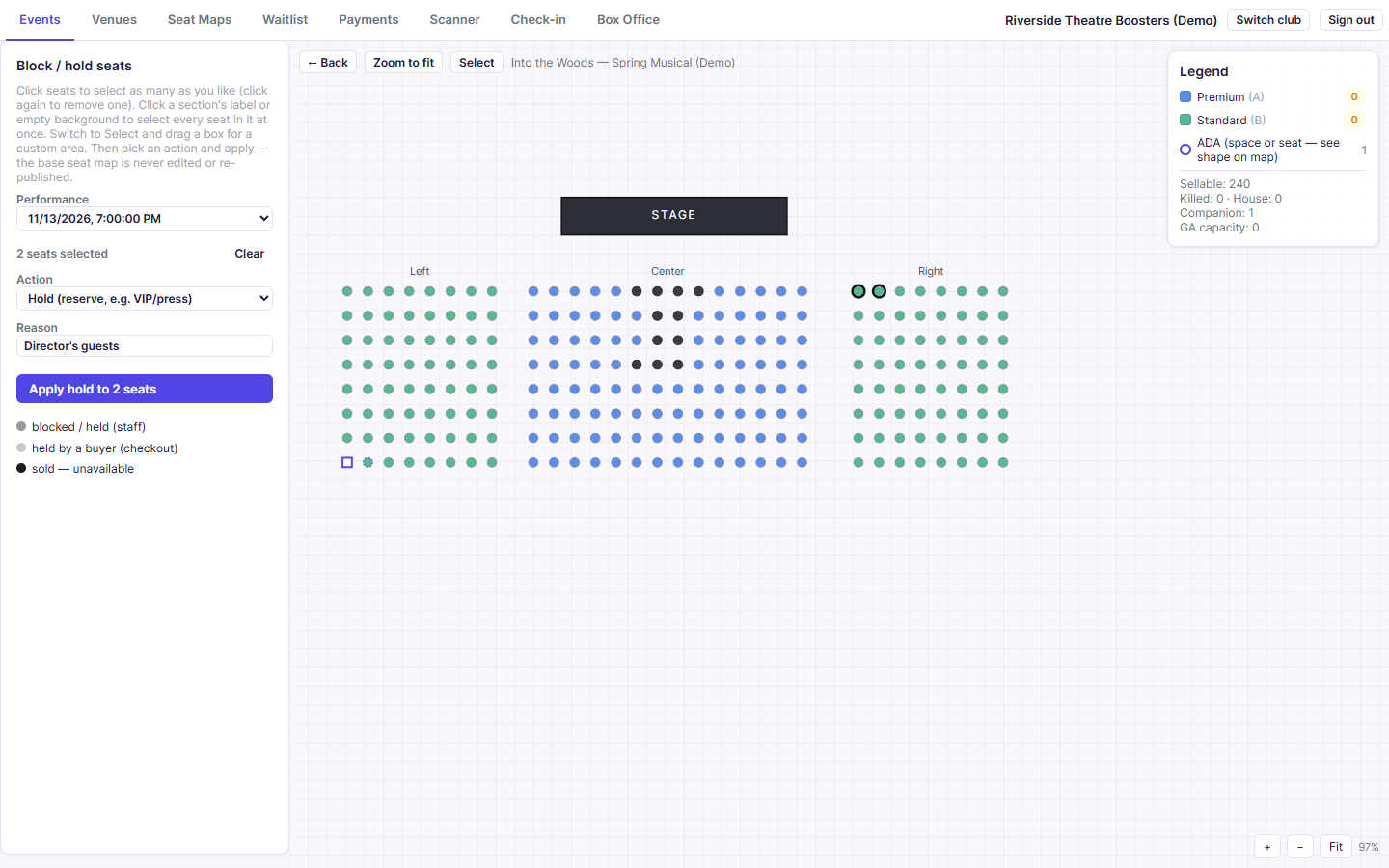
Block or hold seats
- Pick the Performance from the list at the top left.
- Select seats on the map:
- Click seats one at a time (click again to deselect).
- Click a section's label, or empty space in a section, to select every seat in it.
- Or click Select at the top and drag a box around an area.
- Choose the Action:
- Block (remove from sale): the seat can't be sold, e.g. a broken seat.
- Hold (reserve, e.g. VIP/press): kept aside for people you'll seat yourself.
- Unblock (return to sale): puts blocked or held seats back on sale.
- Optionally enter a Reason, e.g. "broken seat."
- Click Apply [action] to N seats.
Blocked and held seats turn grey on this screen and can't be bought online.
Note: After you apply, the Performance list resets. Pick the performance again to see your changes.
What the colours mean
| Colour | Meaning |
|---|---|
| Dark grey | Blocked or held by staff |
| Light grey | Temporarily held by a buyer who is checking out (released after 10 minutes if they don't finish) |
| Black | Sold |
| Price-level colour | Available |
Common questions
How do I give a held seat to someone? Unblock it here first, then sell it or issue it as a comp at the Box Office.
Should I use this or edit the seat map? Use this for one performance, or for a short-term reason. If a seat is permanently gone, mark it kill in the seat map editor and publish a new revision.
Related
- Seat map editor: permanent changes to the layout
- Box Office: selling held seats in person