Door Scanning & Check-in
There are three ways to let people in, and you can use all of them at once:
| Tool | Best for | Needs a login? |
|---|---|---|
| Scanner | Staff scanning QR codes with a phone camera | Yes: Scan Tickets / Check-in |
| Personal phone scanners | One-night volunteers using their own phones | No: they scan a pairing QR code |
| Check-in desk | Looking people up by name, checking in groups, and live attendance numbers | Yes: Scan Tickets / Check-in |
Before the doors open
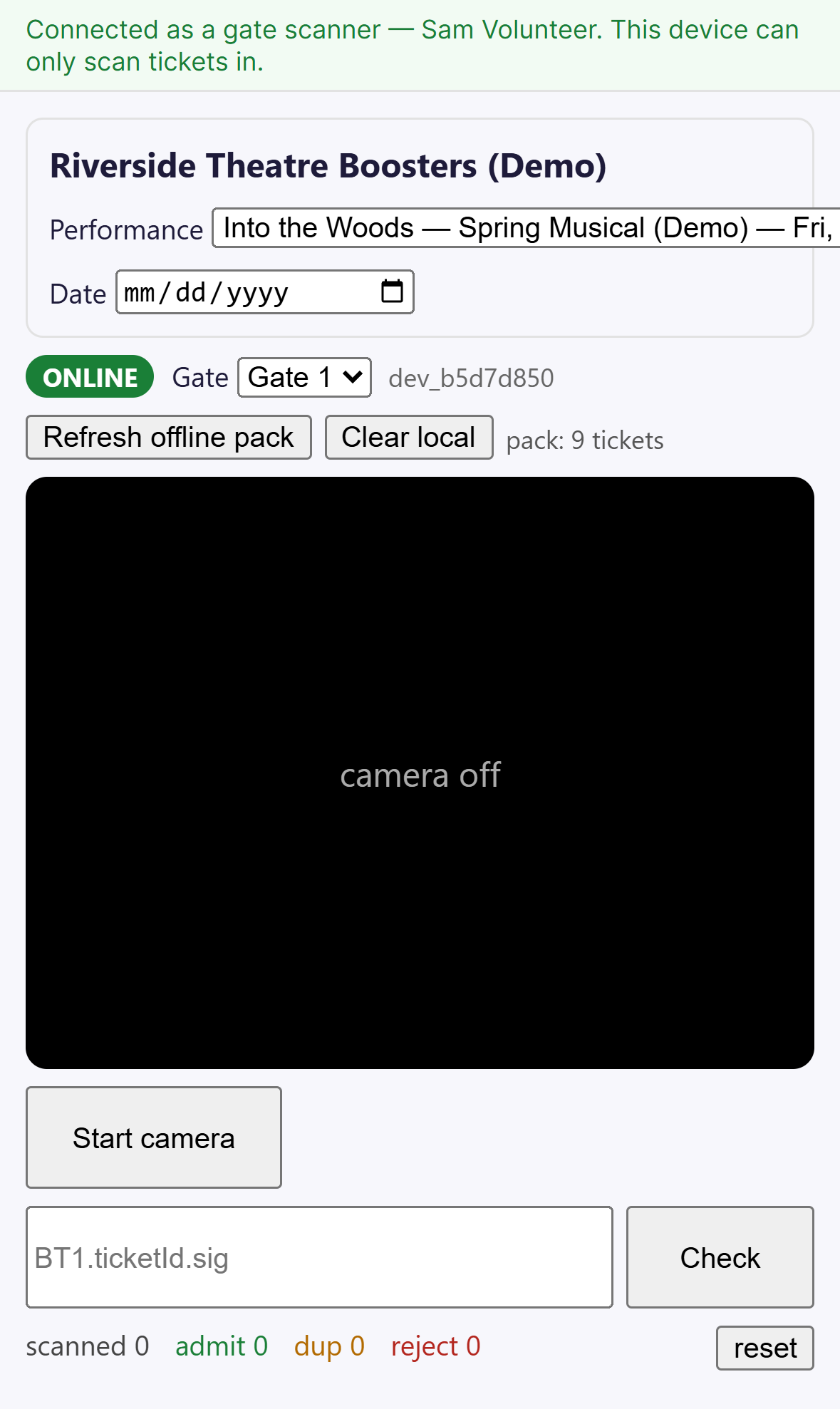
- Make sure each scanning phone has the right Performance selected. Each one is listed with its date and time, for example "Into the Woods — Fri, Nov 13 · 7:00 PM".
- On each scanner, tap Refresh offline pack so the phone can keep scanning if the Wi-Fi drops.
- Test with one real ticket, then clear the counters with reset.
Tip: If your club has a lot of performances open at once, set the Date box to today to shorten the list.
In this section
- Scanner: scanning with the camera, offline mode, and what each result means
- Personal phone scanners: no-account volunteer scanning
- Check-in desk: name lookup, group check-in, undo, and live stats
Related
- Box Office: selling at the door, with an optional "check in now"
- Adding staff and permissions