Check-in desk
The check-in desk is for the table by the door: find someone who forgot their ticket, check in a family in one click, fix a mistaken check-in, and watch attendance as the house fills.
Where to find it: Check-in tab
Who can use this: anyone with Scan Tickets / Check-in (or Manage Ticketing)
Set up
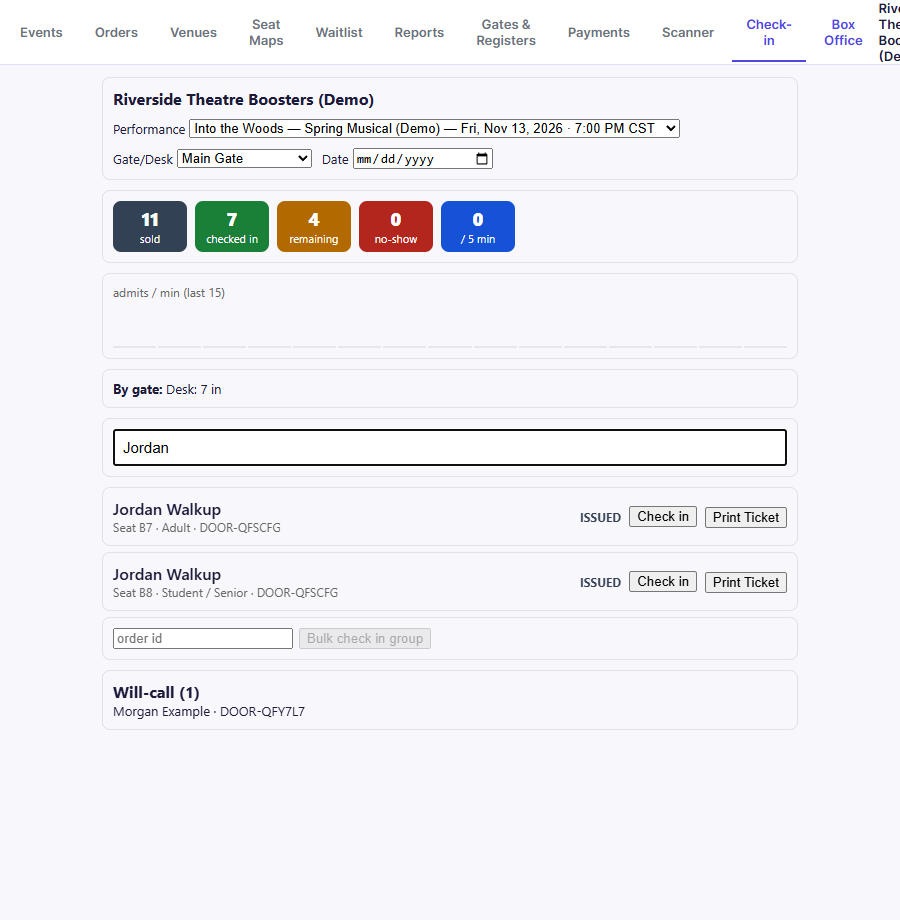
- Choose the Performance (listed with its date and time).
- Choose Gate/Desk so check-ins are recorded against the right entrance. Names come from Gates & Registers.
Live counts
The coloured tiles update as people arrive:
| Tile | Meaning |
|---|---|
| sold | Tickets issued for this performance |
| checked in | Tickets admitted so far |
| remaining | Sold but not yet checked in |
| no-show | Tickets not checked in once the performance has started (0 before then) |
| / 5 min | Admissions in the last five minutes |
Below the tiles, a small chart shows admits / min (last 15) and By gate shows how many came in at each entrance. Click any tile to see the tickets behind the number.
Find and check in a ticket holder
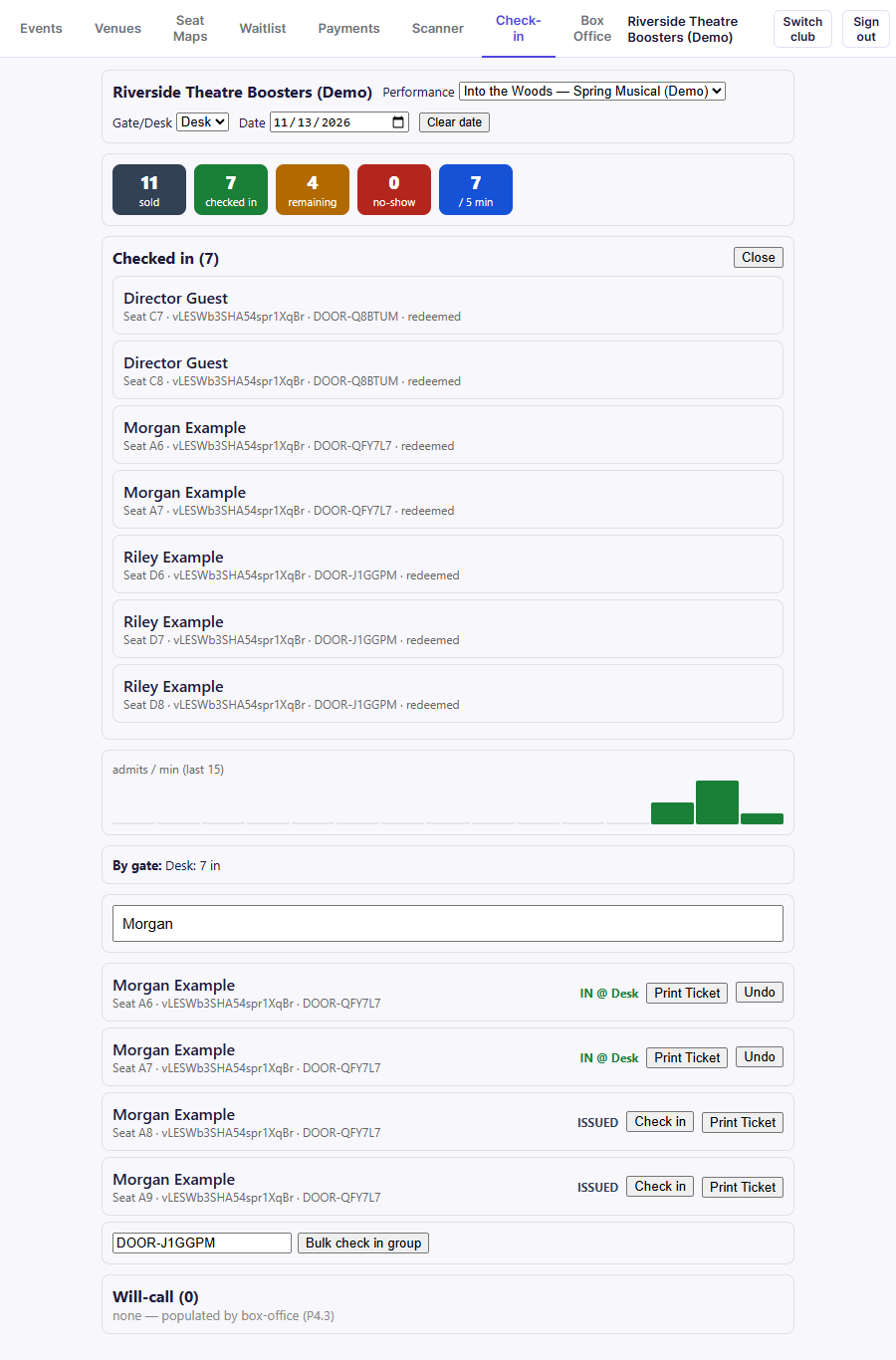
- Type in the search box. You can search by name, email, seat, or confirmation code.
- Each matching ticket shows the holder, seat, ticket type, and confirmation code
(for example DOOR-QFY7L7), plus its status:
- ISSUED: not checked in yet. Click Check in.
- IN @ Desk: already checked in, with the gate or desk.
- Print Ticket prints the paper tickets for that order, for someone who lost theirs.
Check in a whole order
For a family or group on one order, type the order's confirmation code (for example
DOOR-J1GGPM) in the box beside Bulk check in group, then click it. Every ticket
on the order is checked in at once.
Undo a check-in
- Find the ticket and click Undo.
- Type a reason (at least 3 characters), e.g. "scanned wrong ticket."
- Click Confirm.
Undone check-ins are counted in their own undos tile, so there's a record.
Will-call
The Will-call list at the bottom shows orders set aside for pickup at the door, from the Orders tab or the Box Office. See Cash drawer and will-call.
Related
- Scanner: fast QR scanning at the door
- Box Office: sell at the door and check in immediately